Install Missing Fonts After Import
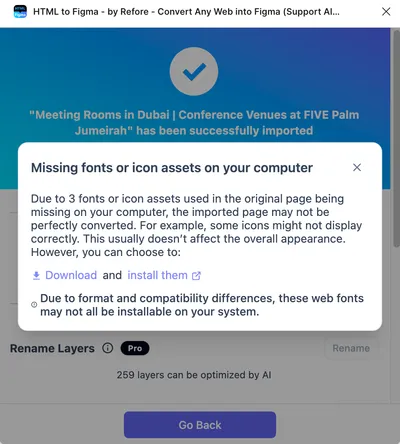
If the webpage uses web fonts that are not installed on your computer, you will be prompted about missing fonts or icons after import.
The dialog box will provide download links for these missing fonts, and importing the same captured page will not deduct credits again. You can download and install these fonts, so that when you import this page again, you will get the exact same effect as the original webpage.
When To Install Missing Fonts
In most cases, you don’t need to install these locally missing fonts, but these two special cases are exceptions:
- If you want to add a certain font style from the webpage to your design.
- If you find that some icons are missing on the imported page, it may be because these icons come from web fonts that are not installed locally.
How To Download and Install Fonts
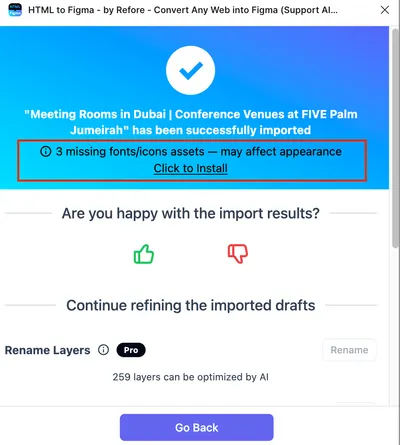
After import, if there are any missing fonts, you will see a prompt as shown in the red box. Please click the “Click to install” link in the red box.
In the popup dialog, click Download to download all fonts used on the current page. Then click the Install them link to open Figma’s official font installation guide (or the guide for your design tool) and follow the instructions to install these fonts.