
Browser Extension Data Corrupted
If you see this prompt while capturing a page, it means that in some extreme cases, the data of our browser extension has been corrupted, and the extension does not have permission to reset or repair this data. This is caused by a Bug in the Chrome browser.
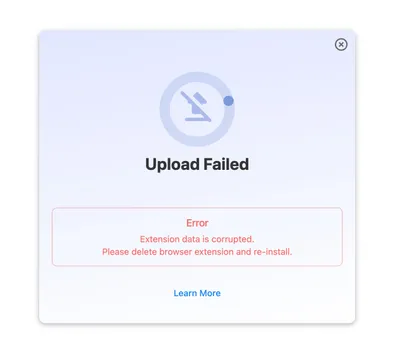
Solution:Reinstall the Refore HTML to Figma Browser Extension
To resolve this issue, you need to remove the Refore HTML to Figma browser extension and then reinstall it. Here’s how:
Step 1: Remove the Extension
- Open your Chrome browser.
- Type
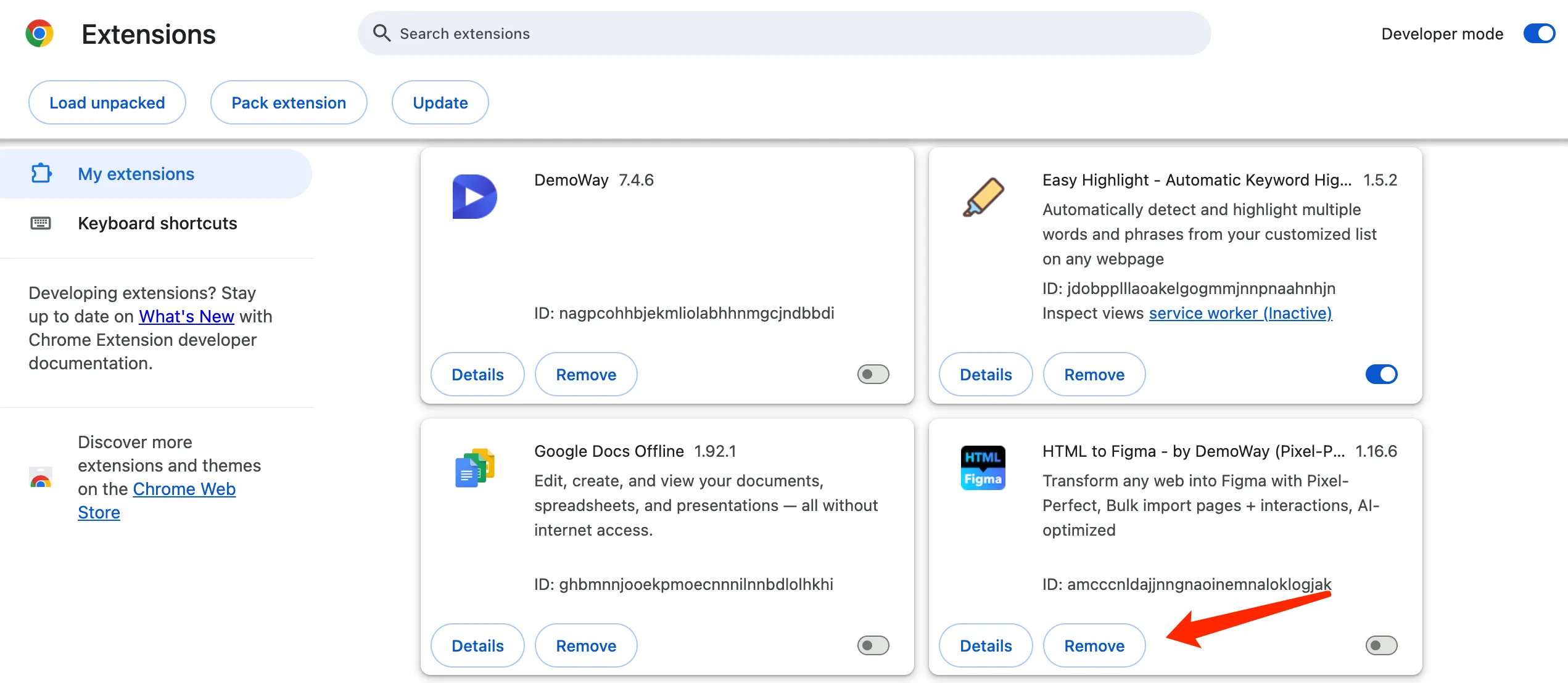
chrome://extensionsin the address bar and press Enter. - Find the “Refore HTML to Figma” extension in the list.
- Click the “Remove” button for the Refore HTML to Figma browser extension.
- Confirm that you want to remove it.
Step 2: Reinstall the Extension
Please refer to https://refore.ai/html-to-figma/onboard to reinstall the Refore HTML to Figma browser extension.
After reinstalling, the extension data should be reset, and you should be able to use it without the “data corrupted” error.